Showing posts with label cheryloakes. Show all posts

Monday, September 3, 2018

Back to School Message from a "Retired Teacher"

I've been thinking of this post since I received a "Happy Retirement" card from my Google Girl, Morgan! It doesn't seem possible that this video was shot by the Google Search team in 2012. This video is still very timely, because it is timeless. This video shows the motivation and independence that Morgan shared with the world. I was the  teacher/coach standing nearby and in the background.

Morgan's card to me is something that all students would share with their teachers in their thoughts. Morgan went with the extra mile and put her thoughts into words with specific examples about how she uses some of the Google tools that she learned about in high school. This made me smile. The Google tools she learned about did in fact level the playing field for her. Not only did the tools help her throughout her high school classes, but the tools are doing the same for her at work and in her college classes.

My message to all of you starting out in the teaching profession or returning to yet another year of school. You have an important job to do. Not only are you making a difference in these 180 school days, but also, you are making a lasting impression on those students. It may take one school year to hear the thanks from your students or it may take years for you to hear thanks for the impression or the connection you made with your students. Regardless, keep making those connections and know that you are making a difference in many lives.  Thank you Morgan for also making a difference in my life. Happy Back to School!

Thursday, July 16, 2015

What is in your summer PLN?

Educators love summer! Some days it means I can sleep in a bit later, well maybe not later since Seraphina has her own clock.
 Somedays it means I can have that extra cup of coffee while reading through emails! Other days it means I can check in my Diigo account and look at the links that interest me. But the most fun I have is when I am on the workshop presentation  circuit. This summer I kick off with a google day at the NH Summit at Pinkerton Academy,July 22, 2015. Then I move on to Tilton Academy, Aug. 5 and 6th, 2015. Next is GAFE Peak in nearby York, ME on August 26, 2015.                                            

You can also engage through many virtual offerings. My good friend Vicki Davis, the energizer bunny, is presenting at the following. " I'll be presenting how to Differentiate Instruction with Technology at the Teachers Leading Teachers Online Conference this upcoming Friday. You can register and have the video delivered to you if you can't attend. Dozens of top teachers will be presenting their practical advice at this conference. Hat tip to AJ Juliani and John Spencer for putting this together! JOIN US.
http://www.coolcatteacher.com/dont-miss-it-teachers-leadin…/"  

There are many blogs you can check out and spend a whole day jumping link to link as you go deeper into the material. Some of my readings include:
From Maine
From my virtual listings

Share your favorite summer time PLN. Happy Reading!

Saturday, June 28, 2014

Summer Tour 2014!

What are you doing this summer for your professional development? I am presenting at 3 different workshops, reading educational journals about the CLOSE reading strategies, learning about Google Classroom and spending some summah time for relaxation and fun!

The first workshop was a #GAFEPeak in York, ME. Fabulous teachers and administrators! Do you know the first sign of  technology moving forward in a school? Administrative use and support! When adminstrators are improving their craft of blogging and asking really good questions about what kinds of technology websites and Chrome extensions work best in the classroom,  you know that their schools are moving and making the most of instructional time.

What are you doing this summer for your professional development?


Sunday, April 15, 2012

What is your role in the IEP process with identified students?

attributed to http://r4udl.wikispaces.com/
The first step to take in understanding your role in the IEP process with your identified students is to begin with “I” statements! How easy is that? Well, actually, it is the most difficult step to take. By virtue of IDEA 2004 always being referred to as Special Education Services, many of us  take a step back and say “those students” or “your students”, when actually it should be my “my students” or “our students”. While in middle and high school most of us would not presume to tackle a specialized math curriculum,  a specialized science curriculum or physical education program. We all have knowledge about math, science and being physically active, but we would not presume to take over the instruction for those subjects because we are not highly qualified. However, this is the opposite of the model for including identified students who receive special education services into all classrooms.

It used to be that mainstreaming identified students into all classes within a school assumed that the special education teacher remained primarily responsible for the education of “those students”. However, “Inclusion is the more popular educational term referring to the move to educate all children, to the greatest possible extent, together in a regular classroom setting. ….Therefore, skills in curriculum-based assessment, team teaching, mastery learning, assessing learning styles (and modifying instruction to adapt to students' learning styles), other individualized and adaptive learning approaches, cooperative learning strategies, facilitating peer tutoring and "peer buddies," or social skills training are important for teachers to develop and use in inclusive classrooms. Soffer (1994) emphasizes that these are not just good special education practices, but are good practices for all teachers.” With this shift in education communities you will find, “It simply means that the ultimate responsibility for the education of all students in a classroom resides with the classroom teacher in charge....This does not, however, mean that special educators have no direct involvement in the education of these students.” Inclusion: pros and cons

With all this information, how does your role in the IEP process change? Best practices in classrooms today include all learners. One model for this is Universal Design for Learning.Universal Design for Learning is a set of principles for curriculum development that give all individuals equal opportunities to learn.” For educators looking to offer more inclusive classrooms and facilitate the learning process for all,  you may want to check out the examples and resources made available by CAST , the Center for Applied Special Technology at this UDL examples site. This is not a program but rather a change in your way of instructing and facilitating learning for all in your classroom.
An example that we can all benefit from is called Minimizing Threat and Distractions , think ADHD students and others. On this webpage alone you can find a free online reading practice activity, which simulates how to read better in spite of distractions on the page, or a blog post which focuses on classroom distractions and ways to minimize them. While you may have a student in mind as you make changes in your classroom, most likely the changes will benefit many! Your classroom will become a more inclusive and welcoming environment.
Our role in the IEP process has changed significantly. We, all educators, are responsible for providing a classroom environment that is effective and welcoming to all students. The ways we can do this are promoted on the CAST and UDL websites. Focus on one area of your  classroom  or instructional practice to begin with. Look at the results for you and your students as this one change becomes part of your daily routine and culture. Then add one more change to another area of your classroom or instructional practice. Soon you will have designed or redesigned your inclusive classroom not just for “my special education students”, but for all our students.

cross-posted at TechLearning.com

Resources:
Inclusion: the pros and cons
http://www.sedl.org/change/issues/issues43/definition_inclusion.html
What is Universal Design for Learning?
http://www.cast.org/udl/
Universal Design for Learning Examples
http://www.udlcenter.org/implementation/examples

CAST- home page for the Center for Applied Special Techology
http://www.cast.org/about/index.html
Minimizing Threats and Distractions- part of the UDL examples site
http://www.udlcenter.org/implementation/examples/examples7_3
Readability - an app which removes distractions from webpages, works on Firefox
http://www.readability.com/

Tuesday, March 22, 2011

Lessons Learned on a Winter Hike and Overnight in Maine

First of all, if you have ever wanted to take a field trip and didn’t have the budget, try applying for the Target  Field Trip Grant.   Each grant is valued up to $700.00. When the trip is over, Target provides a website where you can share your story about your trip, no more than 500 characters!  How easy is that? I applied in August and was awarded the money in December  2010. After submitting our information to the principal, the superintendent and making a presentation to the school committee we were granted permission and on our way into Maine Trails and Huts  for a winter hike and winter overnight in the woods.

Three years ago, I wrote a blog post about  teaching our young people about going green. It was based on a trip I made to Maine Huts and Trails- Poplar Stream Hut, and learning about what had been done in the middle of the woods with a hut that was pretty much a sustainable venture.


I wanted to go back to the Hut, and now that the grant had been awarded we were free to go and take some of our students.

In the fall, our Biology class studied about sustainability, green resources; hydro power, solar power, wind power, limited resources, and how to make a sustainable city of the future. Little did our students realize that their teachers were planning a winter hike to see first hand how a sustainable hut could be built and function in Maine, especially Maine Winters.

As we planned, Pam Parrott (we co-teach) and I, thought about the kinds of things our students would learn about on the trip. We had ideas about how the group would bond while on the trip, how they would support one another, how they would satisfy their curiosity about going green, and about whether this might be something they would consider in their future! Maybe this trip would open doors to their future with job opportunities or new dreams. These were all reasonable ideas, something every teacher would want for her students.

However, as we all know, we need to be prepared for more than the plan. We found there were many things our students had in store for us! While we planned, made lists, planned some more, talked with parents, shared a video about where we were going, our students had their own agenda.

Lessons our students shared with their teachers.

Hiking a 5 mile round trip in the middle of winter was secondary to getting out of school for two days. No surprise there!

Many of our students only go outside, in winter,  between their home, the bus and school. They never wear anything more than a hooded sweatshirt and a pair of sneakers. So, when they showed up on the day of our field trip. I learned how to borrow winter jackets from our school lost and found, and how to share boots that we brought to wear ourselves.
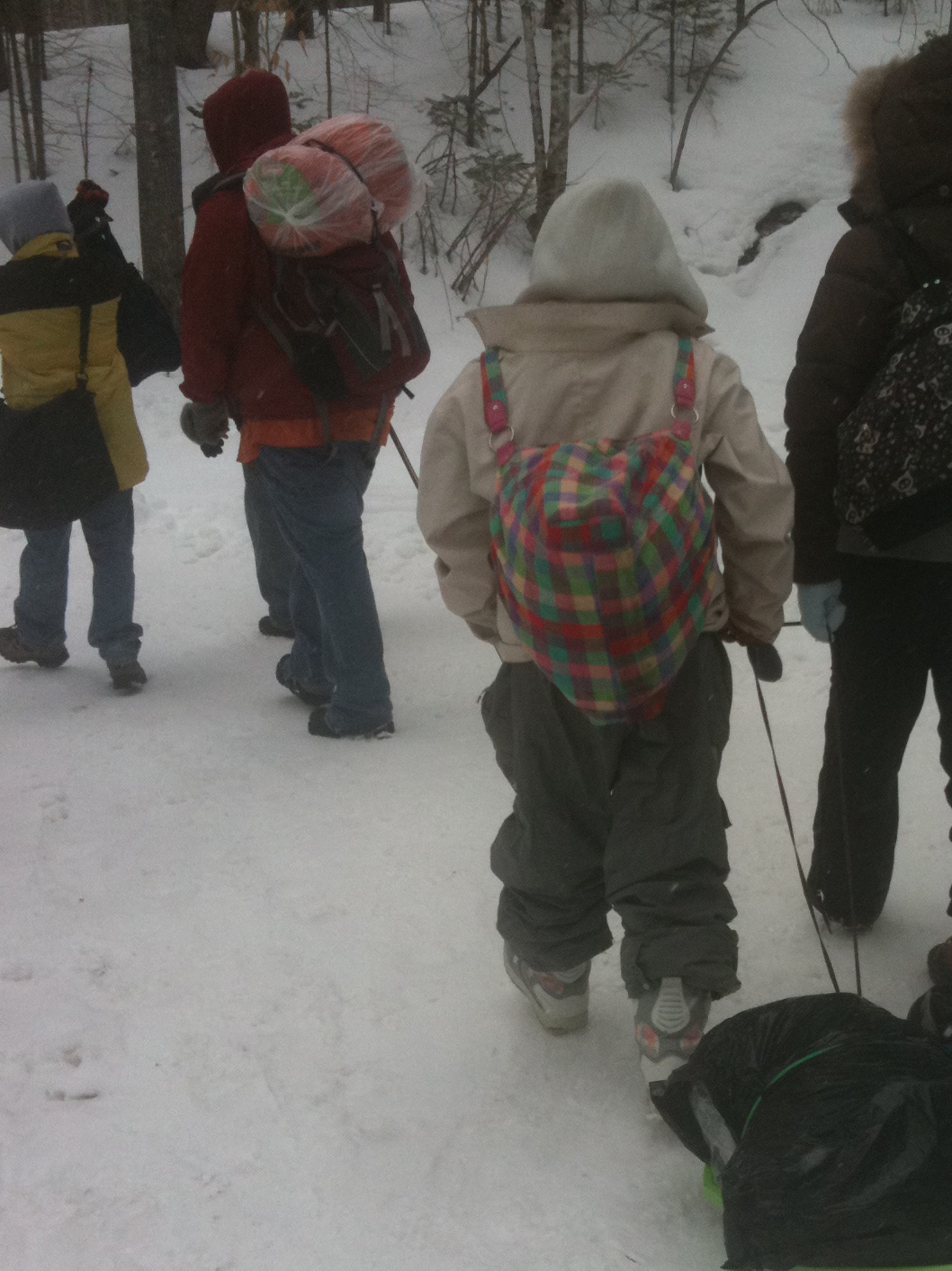
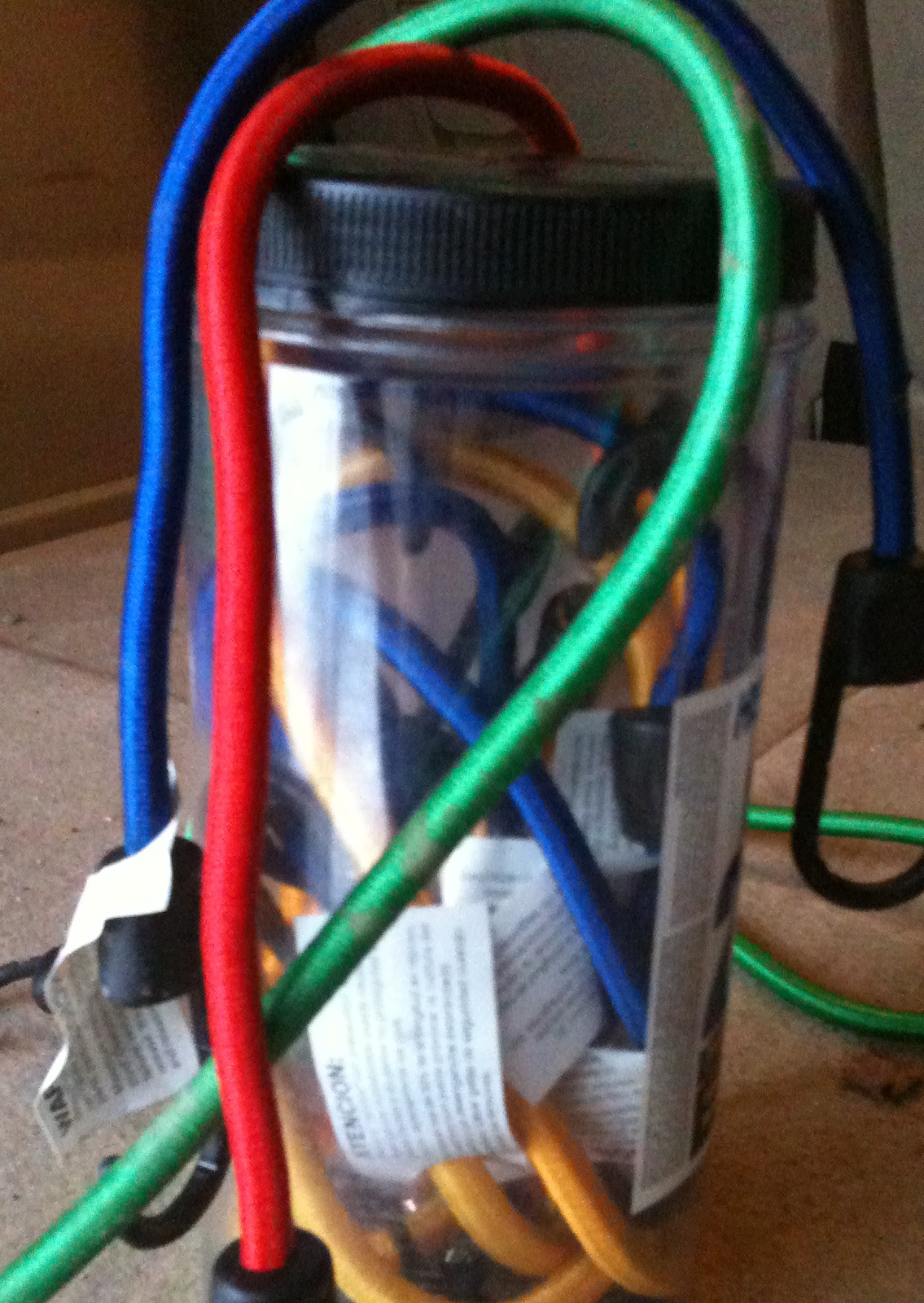
When I had a fleeting thought to bring my birthday container of bungee cords, it was a premonition. Our students did not understand pack in and pack out. Two of the girls brought their items in garbage bags. (They did have several backpacks to choose from, but chose not to use those packs.) Thankfully, David brought two flying saucers. So, between the flying saucers, bungee cords and my co-teacher’s extra long shoe laces we jury-rigged a way for the items to be dragged into the hut, as well as transportation for the boys down the steep hills.
Bungee cords can double as a belt for saggy pants, because it is hard to carry a pack, pull and sled and pull up the pants while hiking.

I had stuffed extra boots, and snowpants into my car, just in case. My students taught me that although I could plan for that, I couldn’t realize how many other items I should have brought.

The students taught us that if you ask enough people at school, there is someone bound to have an extra pair of gloves, they are willing to give up! Thanks, Mrs. Perry.

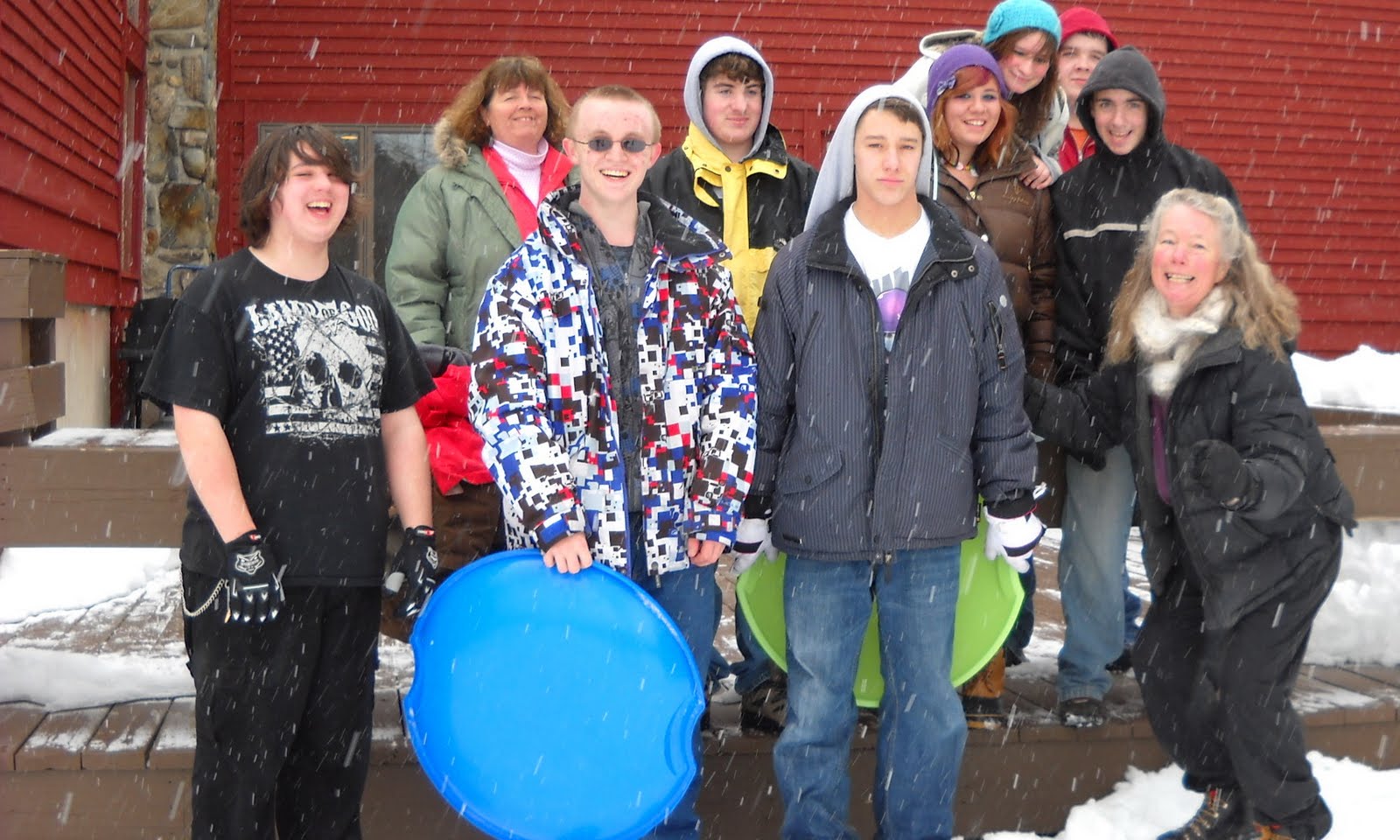
Our students taught us that they were adventurous throughout the trip. They hiked in 30 degree Fahrenheit  weather, and on top of that, it snowed the entire hike. Not one complaint. Even when we hiked to an elevation of 1300 feet up many, many hills. That is a lot of elevation when you come from sea level, in Wells, Maine.

Our students shared their meal family style, hut style. It was a great adult meal, Jambalaya with rice, sausage and shrimp, maybe not a kid friendly meal, but they ate it, well most of it. Breakfast was a hit with orange juice, bacon, sausage and pancakes. If they didn’t eat, they didn’t complain.

Our students were polite, friendly and fun. We played charades, Apples to Apples, we went sledding down the hills and there were plenty of hills.

When it was quiet time, we all created something with a slab of clay from the local potter. We sat around a large table and talked and shared stories. Then at lights out, the ghost stories appeared and kept the interest of my bunk mates. Finally, at 10 PM, lights out and quiet time, everyone was asleep within 15 minutes.

A day hiking and playing outside still makes people tired.

There is nothing better than food to get students up and moving for the 7 AM breakfast call.

Cell service was something to celebrate! Whenever anyone got 4 bars the group cheered!

Our students said thank you as we traveled back to school. They had new stories to share. Their classmates back at school were envious. A few of our adventurers even said they would go on the hike again.

Check out our other resources for more information.

http://www.mainehuts.org/lodging/poplar-stream-falls-hut/

http://animoto.com/play/zDfj1TRpJDH6khKRf3NI2A?utm_content=main   Morgan, thanks for making this.
http://mehutswhs.posterous.com/#!/what-happens-when-you-take-8-teens-and-3-adul  We used this site to report from the field. Posterous is a great way to get your students involved in the reporting!
cross posted at TechLearning.com/

Tuesday, March 8, 2011

UDL What is the excitement all about?

UDL What is the excitement all about?

It is happening! I am starting to question and think like a UDL( Universal Design for Learning) promoter.  When did this happen, how did it happen? What is the excitement all about?

I am setting up a themed unit about Weather, Climate and Global Warming. I am looking for resources for all our students and planning their class time. My goal is to provide them with options, choice, interest and finally a place to share their information with their peers.

My first research sites began with NASA, NOAA, NOVA, PBS, science standards and of course CAST. I collected lots of information, added it to a google doc and then began my outline.

The information I gathered was for a high school physical science class of freshmen. A bonus was that some friends shared an open source HS online textbook about Climate and I added that to my collection.

As I talked with some teachers, who were explaining how a student was using a technology presentation tool in class, I wondered why this was a topic to share. But, then it dawned on me, this student was the only one who was using that particular technology presentation tool.

Step # 1 to UDL promotion- If a student is the only student to use a technology tool, then we are further isolating that student and making them look different. Offer a couple of technology tools to all students to use as they do their work. ( Some ideas are Prezi, ebooks, StoryRobe)

Step # 2 to UDL promotion- As we differentiate in our classroom, we will offer a variety of activities for students to research and gather information about the topic. Normally, we make a couple of differentiations for our students with gifted and talented needs, our students with learning disabilities, our students with English Language Learning needs. Offer these differentiations to all.

Here is how I started. http://www.cast.org/teachingeverystudent/tools/udlgoalsettertutorial.cfm
Click step by step and follow the tutorial for setting goals. You can do this on your own, and then get your feedback when you share with others. When I needed more support in the design process,  I could click on a link and get a suggestion.

Step # 3 to UDL promotion- Start small, share, and watch the excitement level in your classroom blossom as you meet your students along the way.
Here is an example of ScienceWriter.cast.org  While it may look a little young, all our students use this, and can choose to use the hints and audio tools, or not.

Wednesday, February 23, 2011

National Technology Plan and Universal Design for Learning, What's not to Like?

What does the National Technology Plan have to do with Universal Design for Learning and why are they mentioned in the same document? I was very excited to read about this marriage. Finally, a section of the document I could live with and promote.

“The model of learning described in this plan calls for engaging and empowering personalized learning experiences for learners of all ages. The model stipulates that we focus what and how we teach to match what people need to know and how they learn. It calls for using state-of-the-art technology and Universal Design for Learning (UDL) concepts to enable, motivate, and inspire all students to achieve, regardless of background, languages, or disabilities. It calls for ensuring that our professional educators are well connected to the content and resources, data and information, and peers and experts they need to be highly effective. And it calls for leveraging the power of technology to support continuous and lifelong learning.”
http://www.ed.gov/technology/netp-2010/letter-secretary


UDL, Universal Design for Learning, what do you know? Here is a fun quiz to get you thinking. Be sure to come back and continue reading.

alice barr photo
Alice Barr photo
As I get ready to coordinate the learning of 20 students, I am embedding UDL into the plan for the next 3 weeks. I will present information in many ways to my class, I will offer
student choice in presenting  and reflecting upon what they learned, I will be sure that student engagement is in place daily which means that I will offer a variety of options which stimulate interest and motivation in learning. Will it take more time? Sure at first, but eventually this  will save time in the end, and save some learners.

I will have engaged students who will work on the multiple collective assignments. I will have a busy classroom

How can UDL work in any classroom? Here is a comprehensive website which will assist you as you become adept at integrating UDL principles into your mainstream or specialized classrooms. What you will find is that most of the suggestions from this website will be things that are common sense ideas  that we need to bring to the forefront of our planning. For example,   Art Beyond Sight  is a web resource which explains how to discuss and describe art to individuals who are visually impaired or blind. If you and I had a blind student we would be sure to include this in our daily planning. However, what UDL promotes, is by offering this kind of instructional alternative as part of our daily routine, we meet the needs of students who function with limited visual understanding or any student who may learn best with this modality and support. This is the main difference in a UDL classroom.


As you begin this process of embedding UDL into your lessons and classroom, start slowly, follow the prescriptive outline at the website. Soon you will be adding options for your visual learners, your auditory learners and, your language learners, as you continue teaching your content area.

This is what  all teachers can begin to do. It is good for our teaching and learning process. It is good for all learners, general education students, gifted students, special education students, ELL students and, it is good for the teacher as well.


Lisa Parisi said it best in response to Karen Janowski's Twitter post wondering why more teachers won't try UDL options in their classrooms:
  • Educators must believe that they are responsible for teaching every child
  • Educators must teach students how to access tools and then allow them the access
  • Educators must give up that position of power to allow students the freedom to do what they need to be successful

The one person in the classroom working the hardest is learning the most, I am planning that it won’t be me, but it will be all my students! Good luck as you begin to adopt UDL measures, your students will benefit!

Resources:
http://udl.spps.org/UDL_Examples.html

http://udl.spps.org/

http://www.invisiblefist.com/2010/06/01/udl-from-the-bottom-up/

http://lisaslingo.blogspot.com/2010/05/why-wont-more-teachers-set-up-udl.html

http://www.accessfirefox.org/

http://www.cast.org

Tuesday, February 8, 2011

Liven up your Class or Meeting

cross posted at TechLearning.com
Smackdown Web Tools
Try something new in your next class or staff meeting. In the spirit of open source learning, we should capitalize on the success of what is known in technology workshops as a smackdown. Originally smackdowns happened in the realm of  entertainment wrestling. A smackdown is defined by Merriam and Webster as a confrontation between rivals or competitors.

In the world of technology conferences, a smackdown is a session dedicated to volunteers from the audience sharing the projector and 2 minutes to explain the latest web 2.0 tool and how it is used in a classroom, a meeting, a personal learning network.

As one participant said, “it is a great way to attend a session, you don’t have to sit through a potentially boring session because the presenter changes every two minutes.” My reasons for attending a smackdown  are; I often have something to share, I get to meet some of my Twitter followers and the people I follow, and last but not least I get some very valuable tools to share with my peers and my students.

The latest smackdown I attended was at ATIA in Orlando at an Assistive Technology Conference. Thanks to Chris Bagaj for podcasting the session. I am sure he will be happy to share his podcast  and blog with you.

Take the smackdown idea to the next level. Take the smackdown into your classroom and have students share information in 30 seconds before moving on to the next person. Take the smackdown into your next staff meeting and have folks share an idea or program that is working for them. To begin with start out with a time limit for each person and an overall time limit during the meeting or class. How are you using the smackdown idea in your school?

Thanks to tsmackdown.wikispaces.com/ for their image.

Friday, January 28, 2011

ATIA 2011 Create an Online Writing Toolkit

Beth Goodwin MSEd. and Cheryl Oakes MEd.
Beth and Cheryl presented in Orlando, FL at ATIA 2011.
See the links for the presentation and resources. Palms

Monday, January 24, 2011

Student to teacher, “What is your favorite part about your job?”

It didn’t take me long to answer! It was about 7:45 AM on a weekday in a support study class. You can imagine the chaos that begins a school day for high school teens. A teacher orchestrating the group of students to help find some bit of school work for them to complete, while making a personal connection with each student, and encouraging independent work then beginning the cycle again.

This was just that sort of day. However, when he asked me that question, the room went silent. I didn’t hesitate, “My favorite part of my job is, years after meeting a student and working with a student, somehow over time, there is a huge reward, when I finally hear what the student has chosen for a school, college, job, family and place to live”, I said.

My student didn’t miss a beat and responded, “Oh, so you hate your job.” I began to protest, then I replied, “You asked me about my favorite part of the job, which is the surprise after all the waiting.”

I did not go on to say that I look forward to each day, that I reflect on my days and my meetings with students each week, as I learn something new to mention in my next meeting with a student. I did not go on to say that, I cherish the moments when a student gets a good grade after all the hard work. I cherish the teaching and the learning, especially when my students are teaching me and I am the learner. Everyday is worth it, but the surprise after waiting years is still the best.

Daniel Tyler Graduation UMO 2010
Originally uploaded by cheryloakes50

After all those years!

Saturday, December 11, 2010

One Person, One Gift

This is the last post in the blog challenge from Melanie Holtsman and I am not looking forward to it. How can I choose just one gift, never mind one person? Can I choose a group of people to give one gift?
While at first this challenge appeared easy and I let it go at that, now that I am putting the words in a post, it is impossible!
Here goes. If I am able to give one gift to my students I would give the love of life long learning. Similar to the give someone a fish and you feed them for that meal, teach them to fish and you will feed them for life. My gift would be specific in the introduction, yet have far reaching appeal and long lasting effects.

http://www.flickr.com/photos/deqalb/1497728891/#/photos/deqalb/1497728891/lightbox/
Recipe for Life Long Learning

Ingredients:
Huge bowl
Questions
Answers
A Personal Learning Network
Connection to the Internet
Curiosity
Laughter
Love
More Questions

Time:
All the time in the world

Serve up and share with the planet

Sunday, December 5, 2010

My life as a Scientist

The Blog Challenge this week fits me to a tee! What is your life as a scientist like? What kind of observations do you find yourself making? Do you have a wondering? Have you ever tried to find the answers?

As a life long learner I hope to model what we should all be experimenting with!
I am curious about Vernal Pools. Someday my friend Charlene and I will write a children's book explaining how important Vernal Pools are to all. I take trips to Vernal Pools, I photograph Vernal Pools, I practically live in a Vernal Pool.

I am co-teaching science classes at our High School. The science teacher is highly qualified in science, I am highly qualified in special education, we are a team. I have always wanted to use the Farmer's Almanac with a science class as one of the textbooks. We started out the project this past week. So far, so good. I want to thank the Farmer's Almanac for setting up an educational price for this project. We will have more about this in the upcoming months. There will be teacher materials, templates and student responses about our journey with the Farmer's Almanac. The Farmer's Almanac is a perfect science notebook. There is something for everyone, inventions, predictions, improvements, it sounds like the Scientific Method Live!

 snowflake from 2010-12-04 coakes photo, iphone
But, my favorite topic to study is snow! I have a snowflake lesson which incorporates symmetry, ice crystals, weather and history. My hero is Snowflake Bentley, and there is a terrific children's book about Snowflake Bentley you should read if you are interested in the history of snowflakes. I go out and ski in the snow, I shovel snow, I take photos of snow, I make movies about snow, I make snow ice cream and yes, I even get stuck in the snow.

Lastly, one of these winters I will take a trip to Mount Washington Weather Observatory for a Winter Edutrip! This is a trip to the extreme weather on our planet. Mount Washington has a great summit conditions page which I check every day in the winter and weekly during the other seasons. The reason I check the summit conditions is that I want to know what I will be skiing in for temperatures, wind and snow conditions. I am working on a spreadsheet to collect data so I can predict the weather at my favorite ski mountain, Sugarloaf Mountain. So far, I have not been really successful, it is a work in progress.

I can't wait to read the other science blogger challenges. You can check them out here.

Sunday, November 28, 2010

A glimpse at my years in high school for the Blog Challenge!

Way back, in high school, I was considered a "B" student. I was shy, yet a leader in some small organizations like Sunday School, Future Teachers-yes way back then, I knew I wanted to be a teacher, and I was a little bit on the edge in my classes. I questioned everything!
If we were given an assignment, I wanted to find out a way to do the assignment, but to do it differently. When we studied Civics, instead of doing a huge project, I invited the city planner of a neighboring community to speak to our class. I had to set up the interview questions and make sure that it related to our course work, which I did, and it ended up being a great experience. Maybe that led me to be a webcaster on Edtechtalk and interview educators for Women of Web 2.0 and now for Seedlings.
I was co-chair of my junior prom, 'Barefoot in the Park', I traveled to Europe that summer and when I graduated from Suffield High School and was accepted as a student at the University of Maine, and never went back to live in Connecticut. I graduated from Univeristy of Maine, both undergrad and graduate school and have lived and worked in Maine since 1974.  I did travel back this summer, to Suffield,  for our 40th Reunion, which was a blast! It was like the years disappeared and it was like the old days, the the girls riding around in Lana's car looking for things to do, but really it is about talking, planning and living life.

Monday, November 22, 2010

Making a Transition Plan for your High Schooler

cross posted at TechLearning.com


Since 2004 IDEA re-authorization, schools have been charged with creating transition plans for students with IEP’s to include specific plans on how the student will be prepared for life after high school, whether it be work, post secondary education, or both. Let’s look at where you might begin with your middle or high school students as they being thinking about careers.

This is where I am going start with my students.
http://www.flickr.com/photos/argonne/4534362371/sizes/z/in/photostream/

First, register at Princeton Review and then click here to take the career interest 24 question survey. Be sure to save your registration information so you can save materials and go back and look at what you have saved. As with most surveys answer the questions fairly quickly.
Once you finish the survey you get a an Interest Color and A Usual Color. Mine happen to be Interest=Green and Usual=Red. Then about 50 careers are generated from my interests with links to each career that give me more information including facts and figures about salary, the options to move up the career ladder, what the present and future may hold, and even what someone in this profession might read.
This site is also linked to SAT’s, ACT’s and college information.

The other Career site I found was Office of Science Education
Here I began with 127 careers, I chose 2 categories, narrowed  my choices down to 10 careers. Next,  I selected about 30 skills I felt I had or would like to have, finally I ended up with 5 careers if I had a Master’s degree and 3 if I had a Bachelor’s degree. This only took about 10 minutes to get to the 8 careers I ended up with.

Another great website will send students to look at what their career may eventually pay them.This website would be a great site to look at with groups of students so they could read, collect data and report out to the group the variety of jobs they might be interested in.

If you are on holiday, share this blog with your students, let them begin the search. One nice result, I still have teaching in my career choices, but also  a few in the science field I did not know about. I wonder what my students’ career options will be?

Resources:
http://www.wrightslaw.com/info/trans.index.htm

Saturday, November 20, 2010

Hosted the Day in a Sentence Week! November 15, 2010

Thanks for all who participated during this really busy week.
To see the original gathering spot, check out Wall Wisher  . Here you will find sentences and links to many bloggers.

Bonnie wrote: Big Week Coming: NWP in Orlando and lots of wordcount coming for NaNoWriMo!

LynnJacobs wrote: As the bell rang today, releasing the students (and us) for a week's vacation, I was slammed with a boisterous, nasty head cold that continues to build tonight.

Murcha wrote: I loved being part of the Global Education Conference this week - heard global presenters, made new friends, shared stories. A Mirtschin (Australia)

Mr. Wood: I love the way you manage your own learning.

Tracy wrote: I caught a young student holding hands with a classmate who is in a wheelchair with no oral communication skills, little movement - encouraging!

Cheryl wrote: "That's what I am talking about!" Seems to be what I repeat for most things! Especially when my students tell me of their successes!!

Bonnie, I hope the NWP was a successful week for all who participated. Lynn, I hope you get through your nasty head cold quickly! Murcha, we are glad you are part of our Global connections! Mr. Wood, excellent sentence, I am sure it motivates your students. Have a great week, and look for a note from Bonnie signaling the beginning of another DAIS.

Tuesday, November 9, 2010

Let Universal Design for Learning, be all about “Assisted” Technology for All

cross posted at TechLearning.com

Our goals for our students include independence as life long learners. When you work with challenged learners it is imperative to focus on their independence and life long skills and practice using those skills. Here is the how to: Help your students achieve independence as a life long learner, anytime, anywhere.

In September, we introduced our students to the suite of Google Apps. All students were given a user name and password for our school google domain. Once logged in, a calendar was introduced as a way to keep track of assignments, family vacations, days off, tests and quizzes, Homecoming, Sporting events, school plays, Marching Band and the end of first trimester. Next we shared how to access their email, a google doc, how to answer a survey in a google form and finally how to make a presentation. All of these options are located in our google domain. This google introduction took about 3 weeks as we shared how to use these apps and how to find purpose while making good choices.

Most often, the use of google apps allows for collaboration, whether that be a shared calendar, a shared presentation, a google doc or a shared spreadsheet for data collection. Shared calendars not only serve as a reminder of when a project is due for a student,  but it’s also a way for the teacher to see when an important competition is scheduled, and then it’s a reminder for a teacher to attend that school event .

Our students even chose to use google presentation as they prepared for classroom slide shows. They were able to use  google presentation with the teacher as editor, or with peers as collaborators on their projects.

The most powerful reason for using google docs is that the app allows for  a teacher to be editor across time or space. Also, the teacher  can choose to open the document at a later time  and leave editing comments and questions for her students. There are never enough hours in the school day to work with all students, however, by going digital, the opportunities for revisions and edits extend far beyond the walls and hours of the classroom. One evening I told my students that I would be online to edit student work. One student left me a note the he had his essay ready to be edited. I edited the work, left him questions and comments with suggestions for changes. He immediately started making changes on the document as I was working on it. We chatted using google chat and in less than 20 minutes, he had a revised document and was ready to turn in the paper the next day.

The next focus was teaching our students with some excellent web 2.0 tools. We chose to use Animoto, an online slide collage production tool, complete with Text, titles, spotlights and music. Finally,  we taught our students how to use Quizlet. Quizlet is a vocabulary flashcard online tool. One  Friday afternoon  we shared this app with a student, he had not done well on his previous English quiz. During the weekend he taught himself how to use Quizlet, added his vocabulary words and on Monday he re-took the quiz and passed with 100%. That is the power of student choice, student digital access and student designed toolkits.

Until recently, classroom tools have been teacher chosen, teacher driven and teacher taught. This week, each of our students began designing their own toolkit with powerful online tools. We hope that by having students design their own toolkits, that they will have a reference spot to go to when they are completing school assignments or long term projects. Since these toolkits reside on the web, it provides our students anytime access and choice in which tool to use and complete their assignments.

This week our students created their toolkit from a google doc template. They added their own tools, selected colors and personalized their templates. Then they published their google doc to the web. Finally, by giving their toolkit webpage a tiny url, our students are able to find their toolkit no matter where they are.

Stop by for another installment about our continued use of webtools in our toolkits. These tools allow for all our learners to be independent life long learners.

Resources:
This blog post is part 2 of multiple blogs about  UDL, toolkits and independent learners.
For more information, check out the toolbelt theory by Ira David Socol http://speedchange.blogspot.com/2008/03/csun-2008a-toolbelt-for-lifetime.html  or the UDL tech toolkit started by Joyce Valenca and Karen Janowski, http://udltechtoolkit.wikispaces.com/. Finally, from CAST.org, http://www.cast.org/teachingeverystudent/toolkits/tk_procedures.cfm?tk_id=61
we have teaching every student.
What should your students consider for their digital toolkit? http://techlearning.com/blogs/33988