Showing posts with label Wells High School. Show all posts

Tuesday, May 10, 2011

Special Needs Students using Collaborative Google Apps

cross-posted at techlearning.com


Recently, I was asked about how I was using Google apps with students who have special needs. I thought about it and decided to document what I have seen this year.(Shout out to Penny in Australia, for her question.)  I am teaching in a high school, using google apps with students who have  a difficult time completing classroom assignments, organizational challenges and missing paper syndrome.

By using Google docs, spreadsheets and presentation applications,  my students always have evidence that they have turned in their work because they can always share the items with their teachers. This may not seem like a huge learning expectation, but I can tell you that at least 50% of student worksheets are completed, yet they find their way to the bottom of the backpack and, without an adult intervening, the work is not turned in and graded. (Note to self and others, put your work assignments in a collaborative google document and your students are more likely to complete and turn them in for grading.)

The best part about using Google apps with special needs students, for me, has to be collaborative editing of student work. When a student  gets an assignment, the first thing that happens is that the student begins the document, presentation or spreadsheet and immediately shares the work with a teacher. Within moments of receiving the email notification for the shared item, I reply to the student and begin my coaching. I like to comment on the title, the thesis or question that the students start with, I ask about the due date, the rubric and then begin breaking the assignment down, differentiating for each student.

I like using the revision history and sharing this option with the student. This is where we have a discussion about work expectations and the ability to see how much time the student has put into the work. This is going to be an important part of work and employment accountability in the future and thus a life long skill.

So far, the information I have shared could be used with all students. However, the editing part of google apps is the best and most meaningful part for special needs learners. When students share their document with a teacher, the editing part can become a very creative and meaningful process. Often I use the insert menu and the drop down comment tool.This allows me to leave a place mark in the body of the document, while leaving an entire comment off to the side of the document. Using this process I can leave suggestions, comments, and notes for the student to improve the existing paper. The student then has the option to reply to me in the comments, or to delete the comment when the “fix” has been completed. I  use the insert comment, I can  highlight, change the color of text and otherwise be creative with edits and suggestions. No longer do the edited comments need to stay in the red mode. I can use colors, fonts, bold, italics and more to set the text aside for instructional purposes. The best part, none of my students have reacted badly  to the edits in their work. It almost seems like with  the comments as part of the documents, the student focuses more on fixing the edits as a next step in the process, rather than an attack on their ego, their writing or their learning, or even that this is additional work when addressing the ‘fixes’.

Often, I will sit side by side with the student as they work. We are logged into two different computers,  and both have the document or presentation up on our screens. We can be working on different parts of the assignment.This helps to demonstrate that we can work together in the same room or miles apart. As soon as an edit is posted, the student gets to work and I keep processing the rest of the paper. I have edited with students in the same room, same building, same town and even miles away when I went to a conference and the student was back at school. An added advantage is that I am able to edit any time or place when my students use google apps and the sharing tools. We don’t have to wait until the next day when the student is available to come work during support study.

Finally,  working with google apps is an efficient way to collaborate with all students, the benefits of doing this work with challenged learners is that the coaching and support happens without the judging that some students feel when working face to face with their teachers on their written assignments. Below is an example of an edited assignment recently turned in for World Studies.
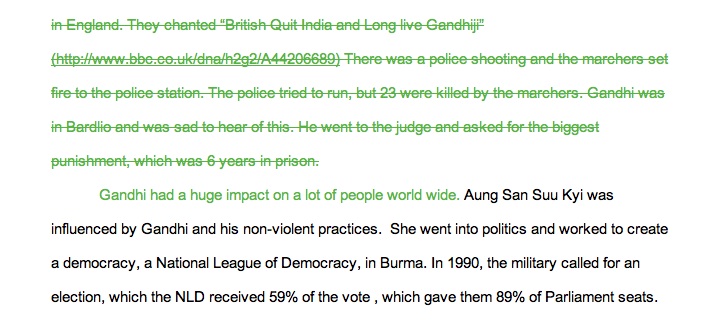
I know this is an effective way to work with students since a few of my students open a document and begin sharing before they begin writing. Here are some important steps I follow.
  • Start with a school google account for teachers and students.
  • Give assignments in shared google docs, presentations or spreadsheets.
  • Begin coaching during the editing process of the assignments.
  • Always leave instructional comments for the students to act on.
  • Always leave comments about parts of the assignment that you like.
  • Be the cheerleader! Cheer that student on towards success!


Share your successes here in the comments!

Wednesday, April 27, 2011

An Honor

Cross posted at TechLearning.com
I had an opportunity to present to a group of special educators in NH, last week.  They asked that I come and demonstrate how I was using Google apps in our school district. They asked that I  emphasize how I was using the apps especially with  special education in mind. They wanted to know how I used the apps with my peers, and by the way, did I have any specific ways of using Google apps with students?

I immediately asked if I could bring a student with me to demonstrate how adults in our schools used Google apps, then I figured I would have Morgan explain how Google apps fit into her school plan as a way to access her education.

Morgan and I planned and reflected upon a normal school week. That part was very easy. We use Google apps frequently. Morgan was a natural presenter during her explanations about Google. It was easy to see that she used the tools throughout her school day and it was very easy for her as she explained how she went about planning, researching and creating.
  
Morgan

I don’t have to tell you that she stole the show. Once she began explaining how she used the calendar, shared documents with her teachers for editing purposes, shared her presentation about the evolution of cell phones, she took over. The educators in the audience fired questions at her, which she answered one by one. She patiently demonstrated how she shared in Google docs, how she added to her Google calendars, and how she made her Google presentations.

I was very proud when the educators asked if they could clone her for their high school. Morgan smiled. I smiled. The power of a student presentation.

Tuesday, March 22, 2011

Lessons Learned on a Winter Hike and Overnight in Maine

First of all, if you have ever wanted to take a field trip and didn’t have the budget, try applying for the Target  Field Trip Grant.   Each grant is valued up to $700.00. When the trip is over, Target provides a website where you can share your story about your trip, no more than 500 characters!  How easy is that? I applied in August and was awarded the money in December  2010. After submitting our information to the principal, the superintendent and making a presentation to the school committee we were granted permission and on our way into Maine Trails and Huts  for a winter hike and winter overnight in the woods.

Three years ago, I wrote a blog post about  teaching our young people about going green. It was based on a trip I made to Maine Huts and Trails- Poplar Stream Hut, and learning about what had been done in the middle of the woods with a hut that was pretty much a sustainable venture.


I wanted to go back to the Hut, and now that the grant had been awarded we were free to go and take some of our students.

In the fall, our Biology class studied about sustainability, green resources; hydro power, solar power, wind power, limited resources, and how to make a sustainable city of the future. Little did our students realize that their teachers were planning a winter hike to see first hand how a sustainable hut could be built and function in Maine, especially Maine Winters.

As we planned, Pam Parrott (we co-teach) and I, thought about the kinds of things our students would learn about on the trip. We had ideas about how the group would bond while on the trip, how they would support one another, how they would satisfy their curiosity about going green, and about whether this might be something they would consider in their future! Maybe this trip would open doors to their future with job opportunities or new dreams. These were all reasonable ideas, something every teacher would want for her students.

However, as we all know, we need to be prepared for more than the plan. We found there were many things our students had in store for us! While we planned, made lists, planned some more, talked with parents, shared a video about where we were going, our students had their own agenda.

Lessons our students shared with their teachers.

Hiking a 5 mile round trip in the middle of winter was secondary to getting out of school for two days. No surprise there!

Many of our students only go outside, in winter,  between their home, the bus and school. They never wear anything more than a hooded sweatshirt and a pair of sneakers. So, when they showed up on the day of our field trip. I learned how to borrow winter jackets from our school lost and found, and how to share boots that we brought to wear ourselves.
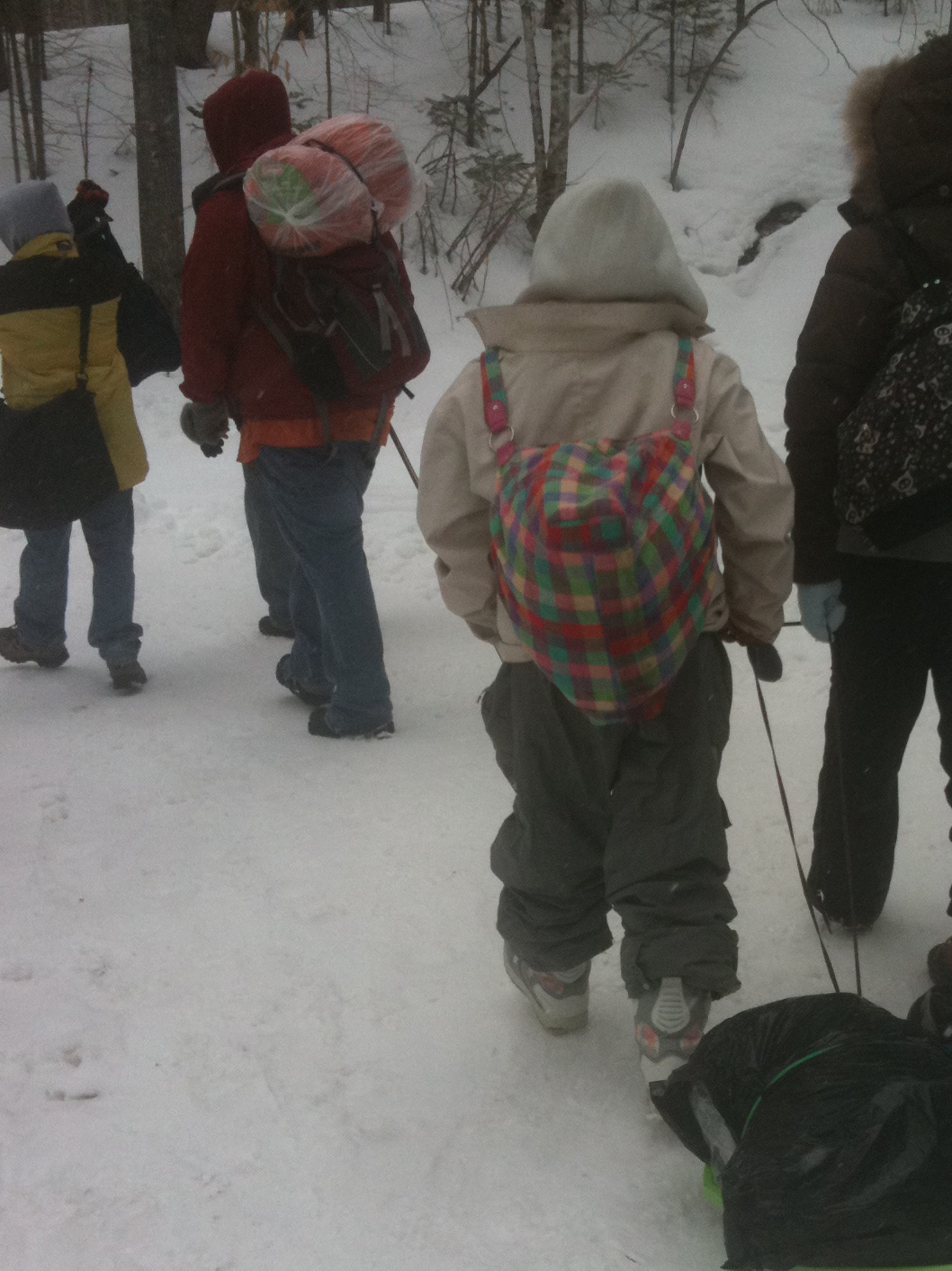
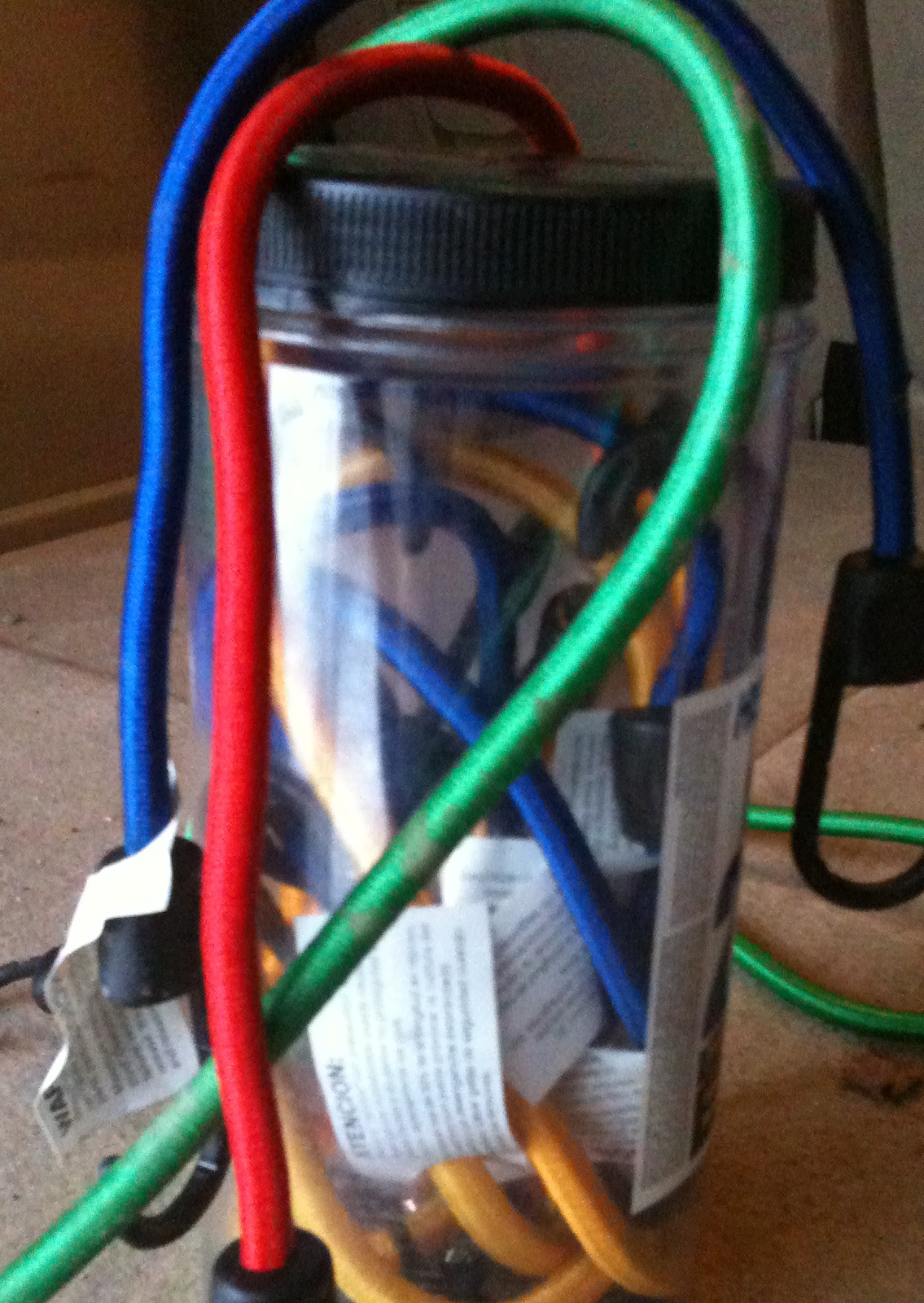
When I had a fleeting thought to bring my birthday container of bungee cords, it was a premonition. Our students did not understand pack in and pack out. Two of the girls brought their items in garbage bags. (They did have several backpacks to choose from, but chose not to use those packs.) Thankfully, David brought two flying saucers. So, between the flying saucers, bungee cords and my co-teacher’s extra long shoe laces we jury-rigged a way for the items to be dragged into the hut, as well as transportation for the boys down the steep hills.
Bungee cords can double as a belt for saggy pants, because it is hard to carry a pack, pull and sled and pull up the pants while hiking.

I had stuffed extra boots, and snowpants into my car, just in case. My students taught me that although I could plan for that, I couldn’t realize how many other items I should have brought.

The students taught us that if you ask enough people at school, there is someone bound to have an extra pair of gloves, they are willing to give up! Thanks, Mrs. Perry.

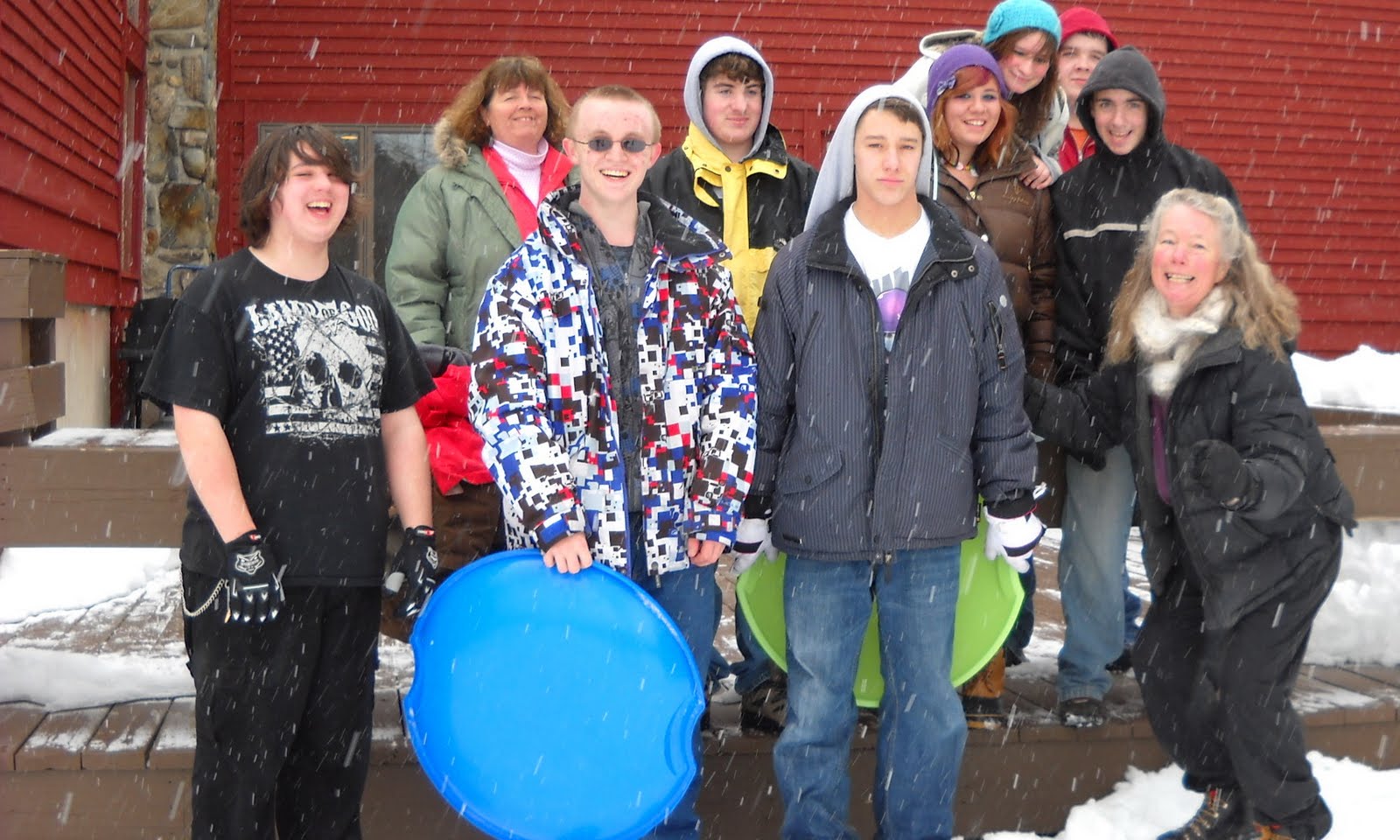
Our students taught us that they were adventurous throughout the trip. They hiked in 30 degree Fahrenheit  weather, and on top of that, it snowed the entire hike. Not one complaint. Even when we hiked to an elevation of 1300 feet up many, many hills. That is a lot of elevation when you come from sea level, in Wells, Maine.

Our students shared their meal family style, hut style. It was a great adult meal, Jambalaya with rice, sausage and shrimp, maybe not a kid friendly meal, but they ate it, well most of it. Breakfast was a hit with orange juice, bacon, sausage and pancakes. If they didn’t eat, they didn’t complain.

Our students were polite, friendly and fun. We played charades, Apples to Apples, we went sledding down the hills and there were plenty of hills.

When it was quiet time, we all created something with a slab of clay from the local potter. We sat around a large table and talked and shared stories. Then at lights out, the ghost stories appeared and kept the interest of my bunk mates. Finally, at 10 PM, lights out and quiet time, everyone was asleep within 15 minutes.

A day hiking and playing outside still makes people tired.

There is nothing better than food to get students up and moving for the 7 AM breakfast call.

Cell service was something to celebrate! Whenever anyone got 4 bars the group cheered!

Our students said thank you as we traveled back to school. They had new stories to share. Their classmates back at school were envious. A few of our adventurers even said they would go on the hike again.

Check out our other resources for more information.

http://www.mainehuts.org/lodging/poplar-stream-falls-hut/

http://animoto.com/play/zDfj1TRpJDH6khKRf3NI2A?utm_content=main   Morgan, thanks for making this.
http://mehutswhs.posterous.com/#!/what-happens-when-you-take-8-teens-and-3-adul  We used this site to report from the field. Posterous is a great way to get your students involved in the reporting!
cross posted at TechLearning.com/

Monday, January 24, 2011

Student to teacher, “What is your favorite part about your job?”

It didn’t take me long to answer! It was about 7:45 AM on a weekday in a support study class. You can imagine the chaos that begins a school day for high school teens. A teacher orchestrating the group of students to help find some bit of school work for them to complete, while making a personal connection with each student, and encouraging independent work then beginning the cycle again.

This was just that sort of day. However, when he asked me that question, the room went silent. I didn’t hesitate, “My favorite part of my job is, years after meeting a student and working with a student, somehow over time, there is a huge reward, when I finally hear what the student has chosen for a school, college, job, family and place to live”, I said.

My student didn’t miss a beat and responded, “Oh, so you hate your job.” I began to protest, then I replied, “You asked me about my favorite part of the job, which is the surprise after all the waiting.”

I did not go on to say that I look forward to each day, that I reflect on my days and my meetings with students each week, as I learn something new to mention in my next meeting with a student. I did not go on to say that, I cherish the moments when a student gets a good grade after all the hard work. I cherish the teaching and the learning, especially when my students are teaching me and I am the learner. Everyday is worth it, but the surprise after waiting years is still the best.

Daniel Tyler Graduation UMO 2010
Originally uploaded by cheryloakes50

After all those years!

Tuesday, November 9, 2010

Let Universal Design for Learning, be all about “Assisted” Technology for All

cross posted at TechLearning.com

Our goals for our students include independence as life long learners. When you work with challenged learners it is imperative to focus on their independence and life long skills and practice using those skills. Here is the how to: Help your students achieve independence as a life long learner, anytime, anywhere.

In September, we introduced our students to the suite of Google Apps. All students were given a user name and password for our school google domain. Once logged in, a calendar was introduced as a way to keep track of assignments, family vacations, days off, tests and quizzes, Homecoming, Sporting events, school plays, Marching Band and the end of first trimester. Next we shared how to access their email, a google doc, how to answer a survey in a google form and finally how to make a presentation. All of these options are located in our google domain. This google introduction took about 3 weeks as we shared how to use these apps and how to find purpose while making good choices.

Most often, the use of google apps allows for collaboration, whether that be a shared calendar, a shared presentation, a google doc or a shared spreadsheet for data collection. Shared calendars not only serve as a reminder of when a project is due for a student,  but it’s also a way for the teacher to see when an important competition is scheduled, and then it’s a reminder for a teacher to attend that school event .

Our students even chose to use google presentation as they prepared for classroom slide shows. They were able to use  google presentation with the teacher as editor, or with peers as collaborators on their projects.

The most powerful reason for using google docs is that the app allows for  a teacher to be editor across time or space. Also, the teacher  can choose to open the document at a later time  and leave editing comments and questions for her students. There are never enough hours in the school day to work with all students, however, by going digital, the opportunities for revisions and edits extend far beyond the walls and hours of the classroom. One evening I told my students that I would be online to edit student work. One student left me a note the he had his essay ready to be edited. I edited the work, left him questions and comments with suggestions for changes. He immediately started making changes on the document as I was working on it. We chatted using google chat and in less than 20 minutes, he had a revised document and was ready to turn in the paper the next day.

The next focus was teaching our students with some excellent web 2.0 tools. We chose to use Animoto, an online slide collage production tool, complete with Text, titles, spotlights and music. Finally,  we taught our students how to use Quizlet. Quizlet is a vocabulary flashcard online tool. One  Friday afternoon  we shared this app with a student, he had not done well on his previous English quiz. During the weekend he taught himself how to use Quizlet, added his vocabulary words and on Monday he re-took the quiz and passed with 100%. That is the power of student choice, student digital access and student designed toolkits.

Until recently, classroom tools have been teacher chosen, teacher driven and teacher taught. This week, each of our students began designing their own toolkit with powerful online tools. We hope that by having students design their own toolkits, that they will have a reference spot to go to when they are completing school assignments or long term projects. Since these toolkits reside on the web, it provides our students anytime access and choice in which tool to use and complete their assignments.

This week our students created their toolkit from a google doc template. They added their own tools, selected colors and personalized their templates. Then they published their google doc to the web. Finally, by giving their toolkit webpage a tiny url, our students are able to find their toolkit no matter where they are.

Stop by for another installment about our continued use of webtools in our toolkits. These tools allow for all our learners to be independent life long learners.

Resources:
This blog post is part 2 of multiple blogs about  UDL, toolkits and independent learners.
For more information, check out the toolbelt theory by Ira David Socol http://speedchange.blogspot.com/2008/03/csun-2008a-toolbelt-for-lifetime.html  or the UDL tech toolkit started by Joyce Valenca and Karen Janowski, http://udltechtoolkit.wikispaces.com/. Finally, from CAST.org, http://www.cast.org/teachingeverystudent/toolkits/tk_procedures.cfm?tk_id=61
we have teaching every student.
What should your students consider for their digital toolkit? http://techlearning.com/blogs/33988

Sunday, September 12, 2010

Run Away!


Run Away!
Originally uploaded by Burwash Calligrapher

Getting ready for TechLearning
Cross posted at TechLearning


Back to school this fall season meant back in the classroom for me. Ever since I went to the MLTI Student Conference last May 2010, I was yearning for life as a classroom teacher again. Be careful what you wish for, my wish came true. There was an opening at our local high school and here I am. High school resource room teacher/facilitator!

You will be hearing lots of stories this year about high school, special education, universal design for learning, assistive technology and our google domain.

We decided to begin with making some changes in our support study. We now have a Skills Cafe. This is organic, flexible and as one of my peers says  crunchy. Ask the students what they think, they have a few more descriptors like this is not what I want to do, why do I have to do this, this is dumb, and many  more. Anything to get out of being organized and collaborative. However, we have a plan and we are sticking to it. I should mention that some students thought it was cool, especially since they can add things to the calendar like football games, field hockey, drama, and marching band. I will be busy trying to attend something for each student!
  Our first step was to get all students into the google domain, with a shared calendar, shared folder for their assignments and a place to check their email. We accomplished this in a two week span.  At the end of the second week, I left messages in all their email accounts with a good job email and if necessary a reminder to complete missing assignments. I can peek at their grades and see what is missing, send them an email reminder, talk with their teachers and all this from one stop at my computer.

This is going to be a year long journey. We will have some challenges, some celebrations and some student success stories. If you have something to share along these lines leave a comment, let’s build this together and share with others.

Resources:
My new blog Learning Cafe a door to the future http://learningcafe-doortothefuture.blogspot.com/

Our twitter:  Door2Future

Our moodle page:   http://moodle.wocsd.org/course/view.php?id=199

Our Twitter Feed goes right to the blog and to our Facebook page. 

Friday, September 3, 2010

First VERY, VERY, Hot week at Wells High School


It was a short week, a teacher workshop day, our internet was flaky, our student information system was even flakier, some of it could be attributed to the newness of it. For me, it didn't help I worked in the 09-10 school year for a day! Thankfully, our data chief figured it out and now I have student access.
Amazingly, resilient students sat and listened, engaged and participated during the heat and humidity. All a tribute to the social nature of their beings and the learning situations that face to face school puts all of us in.
We have all tested the waters, we will be back next week and we will begin to find the balance of learning, social networking, connections and collaboration in this journey called high school.

Thursday, September 2, 2010

Please visit my classroom blog.


New clustrmap on my classroom blog. Please visit so my students can see the power of connections and conversations!
http://learningcafe-doortothefuture.blogspot.com/

Thanks to Ivstan.

Thanks to the global community over 43 spots on the ClustrMap in 24 hours!