Showing posts with label AliceBarr. Show all posts

Friday, April 20, 2018

A lot can happen in a year!

My last post was about the fabulous learning adventure that Alice Barr and I had in Sao Paulo, Brazil,  thanks to Carla Arena and her awesome group of international learners. Check out the post from last April 2017.
A lot has happened:
~ A great connection was made in Sao Paulo and using  Microsoft's Skype Mystery Classroom and several classrooms in Maine and Roberto Bemfico Peters. Roberto made a promise to me when I was in Sao Paulo, "I'll be and stay in touch." He did and one year later we do check in on one another. He worked through time zones, internet issues, as well as audio issues in order to allow his students to speak to our Maine students. The smiles on the faces of students and teachers were illuminating!
~ I retired from teaching in December 2017 in order to fulfill one dream of skiing 100 days in a season. On April 5, 2018, I reached my goal of 100 days. I have a happy heart and was so fortunate to be able to ski all winter!
~ Two hours after I retired I received an email from ACTEM- Association of Computer Technology Educators of Maine- to see if I was interested in a role as Conference Chair for the October 11 and 12, 2018 dates. I had worked on the conference committee for several years and I knew what I was getting into, so I said YES! So, my role as conference chair has brought me out of blog retirement! I'll be updating information and making connections about the upcoming conference. Put the dates on your calendar, you won't be disappointed!


Thursday, July 16, 2015

What is in your summer PLN?

Educators love summer! Some days it means I can sleep in a bit later, well maybe not later since Seraphina has her own clock.
 Somedays it means I can have that extra cup of coffee while reading through emails! Other days it means I can check in my Diigo account and look at the links that interest me. But the most fun I have is when I am on the workshop presentation  circuit. This summer I kick off with a google day at the NH Summit at Pinkerton Academy,July 22, 2015. Then I move on to Tilton Academy, Aug. 5 and 6th, 2015. Next is GAFE Peak in nearby York, ME on August 26, 2015.                                            

You can also engage through many virtual offerings. My good friend Vicki Davis, the energizer bunny, is presenting at the following. " I'll be presenting how to Differentiate Instruction with Technology at the Teachers Leading Teachers Online Conference this upcoming Friday. You can register and have the video delivered to you if you can't attend. Dozens of top teachers will be presenting their practical advice at this conference. Hat tip to AJ Juliani and John Spencer for putting this together! JOIN US.
http://www.coolcatteacher.com/dont-miss-it-teachers-leadin…/"  

There are many blogs you can check out and spend a whole day jumping link to link as you go deeper into the material. Some of my readings include:
From Maine
From my virtual listings

Share your favorite summer time PLN. Happy Reading!

Wednesday, February 23, 2011

National Technology Plan and Universal Design for Learning, What's not to Like?

What does the National Technology Plan have to do with Universal Design for Learning and why are they mentioned in the same document? I was very excited to read about this marriage. Finally, a section of the document I could live with and promote.

“The model of learning described in this plan calls for engaging and empowering personalized learning experiences for learners of all ages. The model stipulates that we focus what and how we teach to match what people need to know and how they learn. It calls for using state-of-the-art technology and Universal Design for Learning (UDL) concepts to enable, motivate, and inspire all students to achieve, regardless of background, languages, or disabilities. It calls for ensuring that our professional educators are well connected to the content and resources, data and information, and peers and experts they need to be highly effective. And it calls for leveraging the power of technology to support continuous and lifelong learning.”
http://www.ed.gov/technology/netp-2010/letter-secretary


UDL, Universal Design for Learning, what do you know? Here is a fun quiz to get you thinking. Be sure to come back and continue reading.

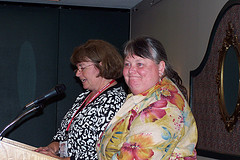
alice barr photo
Alice Barr photo
As I get ready to coordinate the learning of 20 students, I am embedding UDL into the plan for the next 3 weeks. I will present information in many ways to my class, I will offer
student choice in presenting  and reflecting upon what they learned, I will be sure that student engagement is in place daily which means that I will offer a variety of options which stimulate interest and motivation in learning. Will it take more time? Sure at first, but eventually this  will save time in the end, and save some learners.

I will have engaged students who will work on the multiple collective assignments. I will have a busy classroom

How can UDL work in any classroom? Here is a comprehensive website which will assist you as you become adept at integrating UDL principles into your mainstream or specialized classrooms. What you will find is that most of the suggestions from this website will be things that are common sense ideas  that we need to bring to the forefront of our planning. For example,   Art Beyond Sight  is a web resource which explains how to discuss and describe art to individuals who are visually impaired or blind. If you and I had a blind student we would be sure to include this in our daily planning. However, what UDL promotes, is by offering this kind of instructional alternative as part of our daily routine, we meet the needs of students who function with limited visual understanding or any student who may learn best with this modality and support. This is the main difference in a UDL classroom.


As you begin this process of embedding UDL into your lessons and classroom, start slowly, follow the prescriptive outline at the website. Soon you will be adding options for your visual learners, your auditory learners and, your language learners, as you continue teaching your content area.

This is what  all teachers can begin to do. It is good for our teaching and learning process. It is good for all learners, general education students, gifted students, special education students, ELL students and, it is good for the teacher as well.


Lisa Parisi said it best in response to Karen Janowski's Twitter post wondering why more teachers won't try UDL options in their classrooms:
  • Educators must believe that they are responsible for teaching every child
  • Educators must teach students how to access tools and then allow them the access
  • Educators must give up that position of power to allow students the freedom to do what they need to be successful

The one person in the classroom working the hardest is learning the most, I am planning that it won’t be me, but it will be all my students! Good luck as you begin to adopt UDL measures, your students will benefit!

Resources:
http://udl.spps.org/UDL_Examples.html

http://udl.spps.org/

http://www.invisiblefist.com/2010/06/01/udl-from-the-bottom-up/

http://lisaslingo.blogspot.com/2010/05/why-wont-more-teachers-set-up-udl.html

http://www.accessfirefox.org/

http://www.cast.org

Saturday, September 4, 2010

SEEDLINGS 2010-2011


We are BAACK! Bob, Alice and I met this morning for 3 hours by SKYPE. I just love SKYPE. We are all over the state, yet we caught up and made a plan for this year. No big announcements just yet, but we are searching for new guests for our Thursday evening show, 7:30 PM EST (19:30 GMT) at Edtechtalk.com .
We jazzed up our Facebook Seedlings site, if you don't already have a Facebook account we hope you consider getting one, our Twitter feed, if you don't have a Twitter account we hope you consider getting one, and re-affirmed our mission.
In 2007 our purpose was to find a virtual space where we could connect, create, publish and collaborate with others.

In 2010-2011 SEEDLINGs mission remains the same! I think we would add that our purpose is to find a virtual space where we can connect, create, publish and collaborate with educators from around the globe, who in turn connect, create, publish and collaborate with more people. Spread the words and conversations! Stay tuned!

Wednesday, April 7, 2010

Wes Fryer presented the Keys to the 21st Century, Creating,Communicating, Collaborating in Wells Ogunquit CSD

Wes Fryer presented the Keys to the 21st Century, Creating,Communicating, Collaborating

It was a morning of a great homemade breakfast, yummy fruit smoothies, bacon and sausage, an unbelievable French Toast, fruit and excitement..
Excitement about the unknown, excitement about sharing good ideas, excitement about accompanying others on the journey into the 21st Century Literacy Tool arena.
The cafeteria was transformed into a workshop full of educators listening to Sarah and Wes Fryer about how to use some new tools in teaching and learning. Sarah explained how easily some tools could be incorporated into any one of their existing lessons. Sarah shared how she used a Web 2.0 tool called Voice Thread to present her book report. Then in about 5 minutes she used some photos from her recent trip through NH and presented a slide show that could be published, not on her refrigerator, but on the web with the world as an audience. Sarah generated plenty of interest and engagement from the audience of educators, so much so that some teachers presented an application to the PTO for a school subscription to VoiceThread.

Wes modeled some great ways of using technology, he also modeled how smoothly he could use a backup plan when necessary and he persevered through a brief fire alarm.

Beth Goodwin, captured the moments with her camera phone and then within an hour put all the photos together and presented a musical slideshow sharing the workshop moments. This modeled how quickly a digital story could be put together, published and available for comments to the world. http://photopeach.com/album/7m19i3?ref=est
Then because the slideshow was shared, Wes wrote a story on his blog post, explicitly sharing how the workshop was prepared and run.
Here is a comment from Author: Isabelle Selak

I am so glad that you posted about these PD sessions here. It is a great model for every school. We should all have numerous days a year (with our school provided laptops, of course) that we are encouraged and guided through using exciting tools that will enhance our classroom skills and lessons. Thanks also for sharing some of the tools that you are using at these sessions. We can't all be at sessions like these, but we can learn from yours!

http://www.speedofcreativity.org/2010/04/05/telling-the-story-of-last-fridays-pd-in-maine-with-photopeach/comment-page-1/#comment-128311

Why is this transparency and sharing important?
We demonstrated how the WallWisher worked. Again, it was an explicit use of a Web 2.0 tool that can be used in your classroom. The WallWisher collected comments from our day. Please check them out we collected many great reflections about our day, the food and our learning. You will find the WallWisher comments at the end of this article.

The presenter, internationally known, frequently tweeted out to his followers, and previously had webcasted his schedule for the day. As a result, again, explicit modeling, the workshop was ustreamed and archived. The audience was told that the workshop would be ustreamed. There were 12 remote viewers throughout the morning. What a great opportunity for other educators to participate virtually in the workshop being held in our school. This all promotes the wisdom of crowds, open source learning, sharing with creative commons, share and share alike. We also captured the ustream http://www.ustream.tv/recorded/5899688 and 5 days later, over 258 people have viewed the presentation.
Other things that were shared, Wes' slideshow presentation, http://docs.google.com/present/view?id=ds7w6vt_363gv64ttps

Can people at different comfort levels take away from this one presentation? How?
This is something that I have been thinking about since last Friday. After all the positive comments, the smiles, the engagement, something is still nagging at me. What next and how to provide support to all learners, participants and the naysayers?

Here is my feeble attempt to provide a supportive timeline with activities for the Journey using 21st Century Skills and Technology.

What is your purpose? This is the first question we all ask before we plan or use any technology. This is not a technology question, but rather this is good pedagogy!
Start reading a blog post a day. TechLearning.com is a great place since there are a dozen or so bloggers posting, you will get a great cross section of current bloggers.
Comment on someone else's post. Find one or two people that you enjoy reading.
This is a leap, register for Twitter and then begin following the two people you enjoy reading. Learn about Twitter here and here and with Liz B. Davis and her spreadsheet of Twitter users, I am sure you will find someone with similar interests to yours.
Join a face to face PLC or begin working with one partner.

If this is not enough to get started, begin your own class blog or professional blog. You have something to share with others and others have a lot to benefit from you.

I put this question, "How do I know what I don't know?" out to my personal learning network and this is what I got back:
Elaine Griffin Plybon commented on your status:

"I tell teachers there is no way they'll ever know everything so they need to let go of that. What they should focus on is 1. what do I want to accomplish 2. What type of technology might help me accomplish it, and 3. what tool has that feature. If more than one, which one meets my needs the best. We don't need to know it all, we just need to know what we need."

A couple things- with things changing so fast, it is understandable that you are overwhelmed. What can I do to that might help you? Technology should be something that "adds to your life". What would you like to learn- something small that might make life easier/better for you or your students?


Here are some other resources !
Wes Fryer

Nancy White
How to assess 21st Century Skills , thanks to Nancy White from Aspen High School for this great Prezi! http://prezi.com/l8e1rzmtcs_l/assessing-21st-century-skills/

Bernajean Porter's Guidelines
Check out the GA Spectrum Table and the Cadre Charting Instrument


WallWisher Comments
Comments from the WallWisher! again, modeling something that could be reproduced in a classroom.


Thanks for an excellent breakfast! I've enjoyed having Sarah be part of this presentation. Such great confidence and ease with an audience!
Our students create quite a bit with technology, but we are struggling with what are useful ways to SHARE and with whom?
Psyched to start doing some more things with the smart-board and the kids laptops - so much opportunity and potential!
Wonderful to be here with the Amazing Wes Fryer!
It is exciting to see and learn new things that can be brought into the classroom.
How do we know what we don't know?
Great ideas and a wonderful presentation!
So much to try! I am still working to understand my new promethean board! I will get there! Thank you for your sharing.
This presentation was the best!!! The book report presentation would work great for our kiddo's instead of hand writing and face to face presentation!!
What does anyone know about Tweentribune.com?
it is great to see technology in action. Terrific presentation!!
Lots of new things to try with kids.
As we develop ideas for 21st century literacy, we need to remember that all people will learn from the practice of story telling.
I hope some of this technology (the solar paneled $100 computers) make it to third world countries.
I can't wait to integrate some of these ideas into my class!
I'd like to have students present more in this fashion but I worry about the technology and tech support at home.
6th grade will be using Google Docs for the research project on 19th Century reformers and inventors, this year. I will let everyone know how it goes.
thanks for the breakfast and the inspiration. I loved this workshop.
I can't wait to try using voice thread with students! Thanks for a great presentation.
Eric L: Let's talk. Key words to remind me of the idea for collaboration: Chain of Love blog. THanks.
Great job Emily...thanks for coming and sharing your expertise.
Good luck creating folks!
My husband would love this! It is amazing.
If anyone would like to collaborate with a class in York, let me know. We'd love to connect classrooms with a project.
Technology is so fascinating but still very overwhelming!! I really hope to step further into this 'magical' world.
Voice thread is something that I might actually try
Overwhelmingly Wonderful! I can't wait to use these ideas with the students in our classroom.
My son would love this!
It has been a very informative morning!
The book report presentation looks like something that I would like to try.
It is great getting together with everyone to share and learn!
I really liked the the book recreation of the Black Eyed Peas song. I bet our students would enjoy watching it.
This was a great presentation! I can't wait for the kids to begin working and to see what they do!
I'm the school social worker. Sometimes technology is not so wonderful...in fact it has made my job more difficult.
Thanks for sharing . I hope to use the voice thread real soon.
My son is going to love the Stanza app on his iTouch.

Thanks to:
Wes Fryer
Sarah Fryer
Alice Barr
Beth Goodwin
Bob Sprankle
Eric Lawson

Sunday, June 14, 2009

Thinking of sharing your technology projects? Have a Technology Student Showcase~!


photo by Alice Barr
Sometimes you make a plan because you want to learn something new, other times you make a plan and when you learn how much you didn't know you are so glad you followed through! Well, on June 13, 2009, Alice Barr and I drove to Newport , Maine in order to attend the Technology Student Showcase at Sebasticook Valley Middle School or here at Sebasticook Valley Middle School. Am I ever glad we did! Not only did Alice and I have a good time catching up about technology in both our schools, our new superintendents, new macbooks our teachers and students will receive in the fall, but, also we were excited to participate in a student technology showcase and hopefully bring some ideas home to our respective school districts.


We were greeted in the parking lot by Drew and his teacher Keith Kelley, who explained how students chose a project to rebuild an old Mustang convertible. Drew excitedly and carefully explained the steps involved in the rebuilding process, how hard it was, how many times they had to rebuild the steering mechanism and how proud he was to see the finished product. Then Kern Kelley met us at the sidewalk and began the tour of the Technology Student Showcase Spring 2009. He handed us a Scavenger Hunt, so we would be sure to view each project spread throughout the school building. We first ran into a student carrying around an Acer Netbook, headphone and mic attached, Skyping with Cindy Lane, a google certified teacher from St. Louis, who had made an appointment for a 15 minute tour of the showcase event. How many of your middle school students would be comfortable talking to a computer screen, as they video conferenced their way through a tour? Does this sound like a marketable skill for our 21st Century Literate students?

Then we viewed the mock up of the building and school mascot, that the students had created in Google Sketchup. The students had re-created their school building in 3D, right down to the detail of the full size moose in the school library. (after all it is Maine). There was a plugin for Google Sketchup that allowed anyone to hold up a specific piece of paper with a print out of a design in front of the video camera which portrayed a 3D visual of the school mascot or the school. How many of your middle school students would be comfortable designing a mock up of their school or any item related to school? Does this sound like a marketable skill for our 21st Century Literate students?

Then we proceeded upstairs to the Gallery of product designs. This was a gallery of items that 7th graders built in a design class, based on a raw skateboard decks from a local Maine business of a well known skateboard. The students were challenged to use a skateboard or multiple skateboards to design something that they would buy, or others would purchase. Not only were items for sale during the showcase, but if an item did not sell, then the teachers were going to put these items out on ebay to recoup some money for purchasing more supplies, or some student entrepreneurs would actually split the profits after paying for their own supplies. There were skateboard photo frames, skateboard shelves, skateboard push carts and even a very inviting game chair made with skateboards with cushions. How many of your middle school students would be comfortable designing a product for re-sale? Does product design sound like a marketable skill for our 21st Century Literate students?

After that we walked through the darkened gymnasium where several groups were playing Wii bowling, Wii exercise and RockBand. I was disappointed not to get a chance at RockBand, but we were much too busy. We traveled upstairs and found a part-year Art Room, and part-year Technology Education Room. Keith explained that he works at both middle schools for a half year each. He has a specific curriculum for each grade level. 5th and 6th graders work on hands on projects and build self propelled or wind propelled boats, or motorized cars. Then 7th graders begin product design using guitar kits or skateboard decks. Finally, 8th graders spend a half year designing and building their own skateboard from scratch. They use drills, routers and all kinds of paints and polyurethane to complete their projects. The student create and vote on a graphic design for their year as 8th graders. The logo is then transferred to each skate board. The students have skateboarding and skateboard safety in their physical education classes. This is a team effort! How many of your middle school students would be comfortable designing a product for their own use? Does product design sound like a marketable skill for our 21st Century Literate students?

Finally, Alice and I ended up in the computer lab where the 8th graders one year, built computer towers for a lab for student use. There were some 6th graders explaining their projects, their osprey webcam, their osprey book and their research projects as well as their Kerpoof video projects. Throughout all the projects and conversations we had with students there were 2 common denominators. One, most often the students spoke of collaborating on their projects, not only in the one class, but collaborating with a team who worked asynchronously on the same product. How did they manage? The just wrote notes, said one student. However, when pressed, they wrote notes in Google Docs when appropriate and other times, they left big notes taped to their robots to let their team know what needed to happen next. Or in a research team, the students worked in a google spreadsheet in order to determine the next steps. These students articulated that this is the wave of the future and they are just practicing what they imagine they will be faced with in their workplace someday soon. How many of your middle school students would be comfortable researching, collaborating asynchronously? Does this kind of work sound like a marketable skill for our 21st Century Literate students?

Check out the video for a tour of our day.http://www.youtube.com/view_play_list?p=6C2360791F288EFF or view here What are you doing to practice 21st Century Literacy? Will you be marketable in the 21st Century? Oh, BTW, the 21st Century is now.

Sunday, May 31, 2009

MLTI Student Conference 2009

Please check out the results to our survey questions here http://docs.google.com/View?id=djtmqgv_57cm2k2bf4

A few months ago, I along with Kern Kelley, Alice Barr, and Sarah Sutter, were asked to be part of a presentation to 800 MLTI students at a student conference on the University of Maine campus. After several sessions on SKYPE and planning with conference organizer Jim Moulton, the 5 of us, were going to present to an auditorium of 800 participants in an interactive fashion. How can 800 participants interact with the presentation? With Google online tools! Wait a minute! I know we have a hard time when we get 20 students in a classroom using a wireless access point in one room, we freeze up, have slow speeds getting to a website, but with 800, oh my!
Jim assured us that the University would get their best thinkers and doers working on this. Dr. Bruce Seegee and the fine engineers from CISCO took on this mission and would actually join us in the session to watch the bandwidth use and troubleshoot if necessary. This would be a perfect opportunity for all the conference participants to observe what happens behind the scenes to make things work at their schools and for all to see that when using technology we always have a backup plan.
Our presentation was the final session at the end of a very busy and productive day. Our session was titled (http://archives.mainelearns.org/studentconference/)

Block 3 - Only Google is big enough - Everyone, all together, one room, one session!

o In 2009 Good Questions are More Powerful Than Good Answers - Google Super Session (Alice Barr - Yarmouth High School; Kern Kelley - MSAD #48; Cheryl Oakes - Wells Ogunquit CSD; Sarah Sutter - Wiscasset High School)Maine's own team of Google certified educators will be leading the whole gang through a series of activities that will demonstrate the power of the Google Toolset. Sure, we all use Google, but wait till you see what you can do when you understand how to leverage Google's power to go beyond getting answers and learn how to use Google to ask your own thoughtful questions of people in your class, in your school, around your state, or even around the world!

As part of the preparation, the five of us, created a series of questions in a Google Form, and sent the questions out to our worldwide networks, in 10 days we collected information from all our personal networks, and after some clamoring this information is published for all to share and use. Thank you to all who participated in our survey. We hope you will create a survey that we can participate in at some point in the future.

Wednesday, January 14, 2009

7 things Meme, thanks Jennifer Dorman

When I was checking my technorati account I found I had been tagged by Jennifer Dorman in a Meme. This is a fun way to share with the network, some things about myself that they many not know.
Quickly put:
1. I am a Webhead since 2005, February. Being a Webhead has opened many doors.
2. I am a Webcaster, at EdTechTalk, Thursdays a SEEDLINGS show 19:30 GMT.
3.I am getting ready for the Mt. Dew Challenge, this weekend. Looking to break my record.
4. I get to blog with one hundred 8th graders at my school, and one hundred 5th graders, can you say busy?
5. I love my job at Wells Ogunquit CSD where teachers, students and our community touch the future.
6. Meeting my virtual friends/network in a face 2 face setting is a highlight of any year!
7. I am teaching in an online class with the best group images4education!

I will tag Susan Ettenheim, Alice Barr, Carla Arena, Sarah Sutter, Jeff Bailey, Jim Burke
Ernie Easter (who already has posted his 7 meme)

Happy Learning and Sharing, it is about the conversations!

Tuesday, November 4, 2008

ACTEM08, MaineEd08, was the BEST!

Actem08, Mained08   was the Best!


If you were able to attend ACTEM08 I think you will agree it was really exceptional this year. The Civic Center Crew were most accommodating, the food was great, the lines were much easier than in the past, the internet and wireless was flawless. I presented 3 times over 2 days including one webcasting session and no complaints! Our keynote, Sheryl Nussbaum Beach, really spoke to how we can move to the next challenge, the next level and we need to all be part of this transformation for our students. I really liked her challenge to us at the end, we are the last generation of teachers as we know them. We are the last individuals who chose to be teachers, mentored by our great teachers in our lives. We are the last individuals who will be able to study to be teachers as we have known our educational society. When information begins to change at a rate of doubling every 72 hours by 2020, how will those teachers manage their content, their curriculum, their classrooms. It will only be through change, through facilitation, through flattened classrooms, through personal and professional networks. That will be the easy part. How will our students participate in that kind of learning environment. I know I will be reading more of what Sheryl Nussbaum Beach has to say on this topic. I know that I will looking at ways to facilitate that change. I have to, I want to stay current, I want to mentor our new pre-service teachers, I want to be there.
Thanks to John Brandt for the great photo!

Resources for Cheryl Oakes at ACTEM08:
HandsonPodcasting
Seedlings Geek of the Week
Onlinewritingtools4all
Tags: ACTEM08, Mained08, cheryloakes

Countdown to Sugarloaf Opening Day!

Sugarloaf Opening
Gadgets powered by Google